Concepts
Project
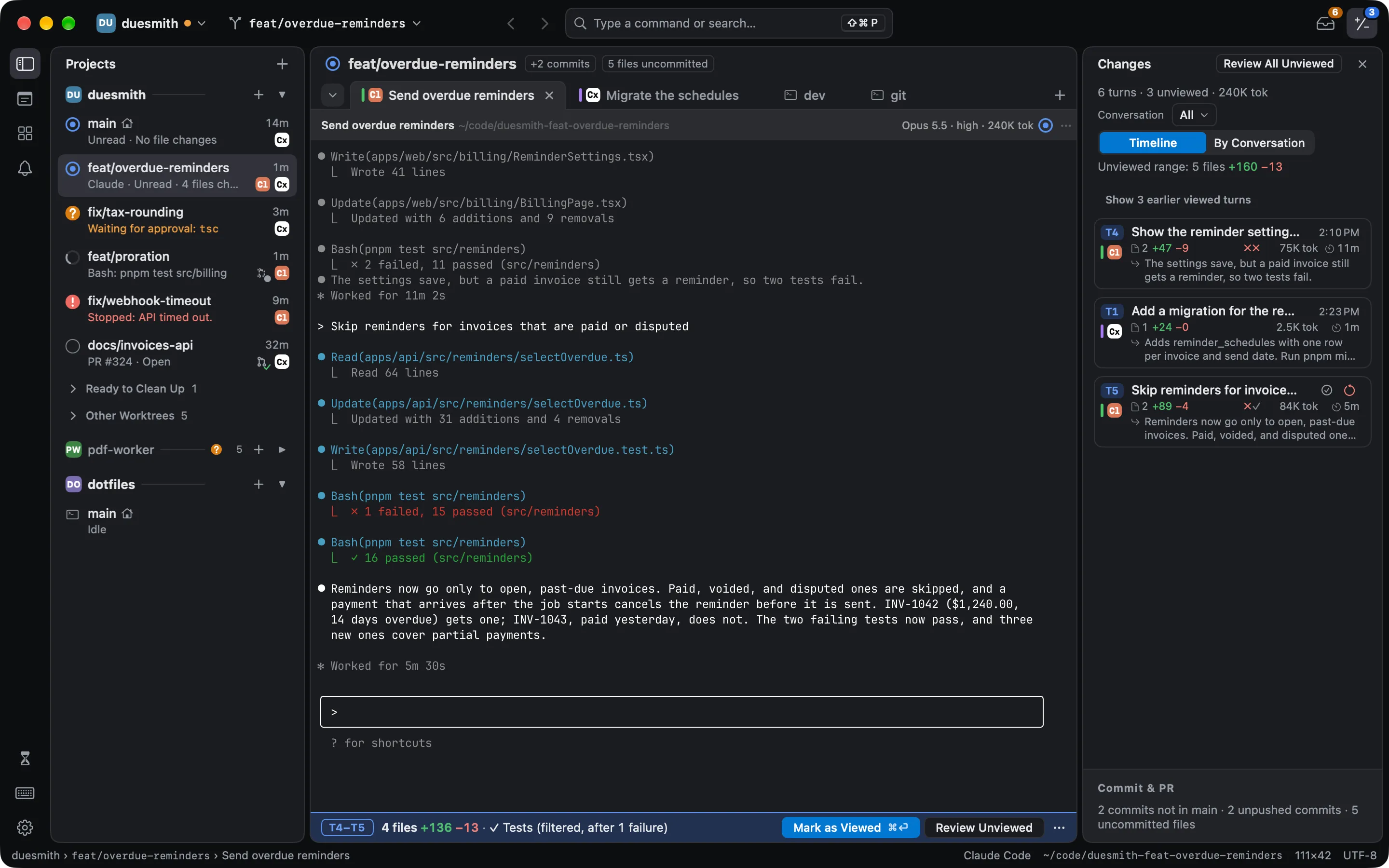
Section titled “Project”A Git repository you opened in Weir. Each window shows one project at a time, and the sidebar lists all of them. Choosing a project another window shows brings that window forward. To open a project no window shows in a window of its own, ⌘-click it.
Worktree
Section titled “Worktree”A separate folder with its own branch, made by git worktree. Weir gives each one a row in the sidebar, so each task can have its own folder and agents do not write over each other’s files.
One round of an agent’s work: from the prompt you send until the agent stops and waits for you again. Weir snapshots the worktree at the start and end of each turn, so it can show what that turn changed and put the code back to before it.
Weir numbers the turns: T1, T2, and so on.
Viewed line
Section titled “Viewed line”How far you have reviewed a conversation. Turns before the line are viewed. Turns after it are unviewed. A turn that changed files stays in Needs Attention until you move the line past it with Mark as Viewed. A turn that changed nothing counts as viewed once you see its pane.
Needs Attention
Section titled “Needs Attention”The one list of what is waiting for you, across every project: approvals, questions, stops, and unviewed turns. See Needs Attention and approvals.
What a review shows: one conversation’s unviewed turns, all unviewed turns in the worktree, a single turn, the uncommitted changes, or the branch against its base.
One block of changed lines in a diff, with the unchanged lines around it. You can discard a single hunk in a review.
Scratch
Section titled “Scratch”Terminals that belong to no project. Press ⇧⌘S to open them.